In this article
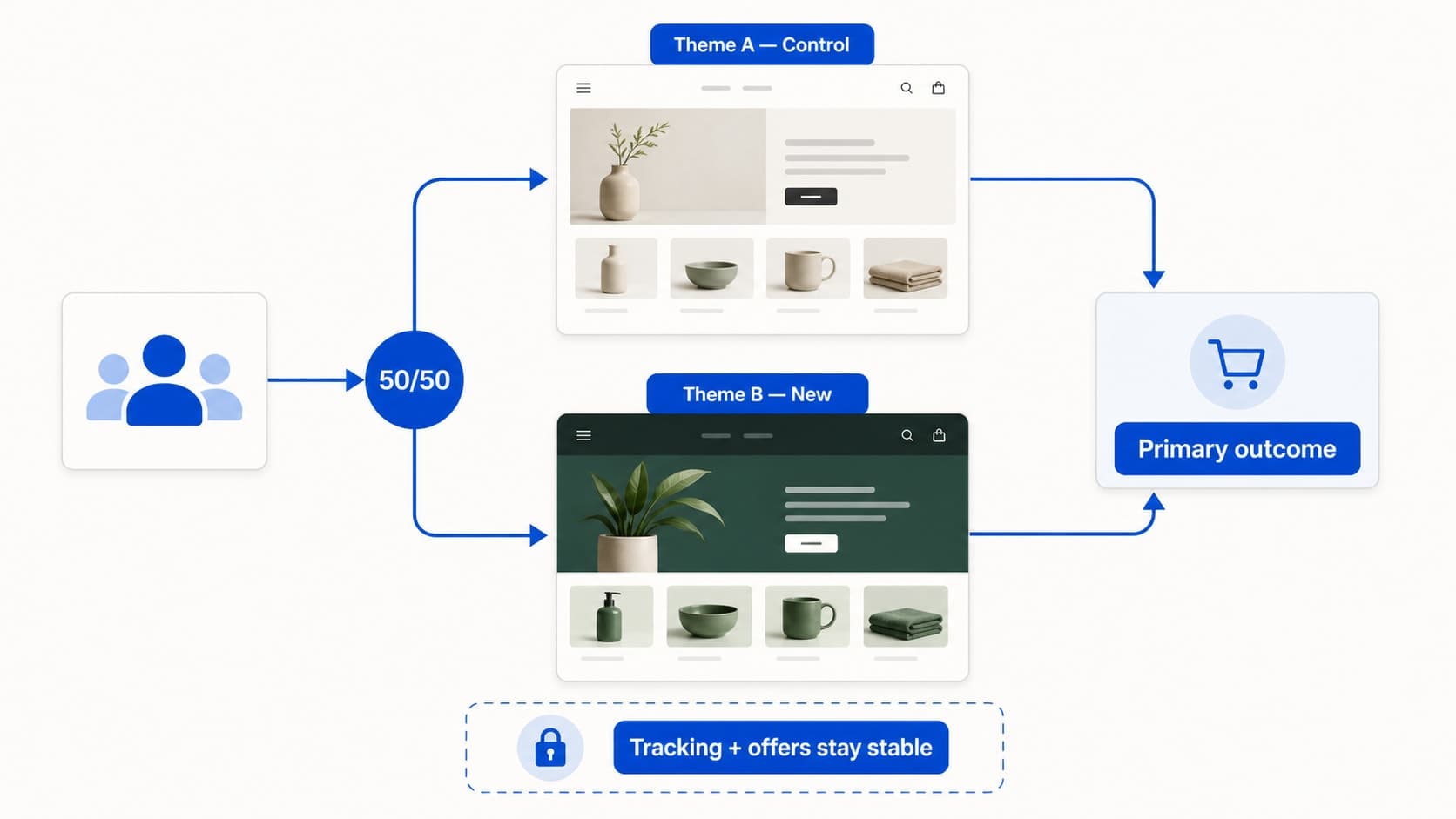
A reliable Shopify theme A/B test starts with one business decision, one primary outcome, a documented control, stable tracking, and no overlapping commercial changes during the measurement period.
Key takeaways
- Choose the decision before splitting traffic.
- Keep tracking and commercial conditions stable.
- Interpret the primary outcome alongside device, market, speed, error, and support context.
Shopify merchants no longer have to treat a theme launch as one irreversible switch.
Rollouts can schedule, gradually release, or A/B test complete themes and checkout or customer-account configurations. The tool makes experimentation easier. It does not make every experiment trustworthy.
The difference is the question you define before traffic is split.
What Shopify Rollouts changes
Shopify says Rollouts can schedule a theme or checkout configuration, publish it temporarily, release it to a percentage of visitors, and run an A/B test between two complete experiences. It can also test localized content by market. A copy of the published theme or configuration is created so the live experience can continue to be edited independently.
Launch a seasonal theme at a planned time.
Expose a redesign to a smaller share of visitors first.
Compare two complete theme experiences.
Test a checkout or customer-account configuration.
Localize a rollout for a particular market.
But a split test is useful only when the result can be explained.
Start with one decision
Do not begin with “Is the new theme better?” Better can mean faster, clearer, more persuasive, easier to navigate, or more profitable.
Begin with one decision the business may take after the test: Should we replace the current theme with this new experience for all eligible visitors?
Then choose one primary outcome that represents the customer action you care about. Depending on the change, that might be purchase completion, checkout progression, or add-to-cart activity. Secondary signals can provide context, but they should not quietly replace the original question after the test begins.
Make the comparison explainable
Use a clean control
The control should be the experience customers would have received without the experiment. Document its theme or configuration, active promotions, market rules, important apps, and tracking setup before the rollout begins.
Change one meaningful system
When comparing complete themes, many interface details will differ. That is acceptable if the business question is whether to adopt the complete experience.
It is not acceptable to change the theme, discounts, acquisition mix, catalog, and shipping promise at the same time and then attribute the result to design.
Protect the measurement period
Confirm analytics and pixels are functioning.
Verify the primary event.
Inspect both experiences on mobile and desktop.
Test important markets and currencies.
Check checkout, discounts, search, filters, and app blocks.
Record other campaigns that may affect behavior.
Avoid mid-test edits unless a serious customer or operational issue requires intervention. If you must intervene, document it and treat the result cautiously.
Read more than the winner
A winning label is not the entire decision.
Review the primary outcome alongside revenue, device mix, market mix, errors, speed, customer-support signals, and returns when relevant. A result concentrated in one device or market can point to an implementation issue or a localized opportunity rather than a universal answer.
Also ask whether the new experience is maintainable. A theme that performs well but creates accessibility, app compatibility, merchandising, or support problems may require another iteration before full adoption.
Shopify theme rollout checklist
One business question
One primary outcome
A documented control
Stable tracking
Mobile, desktop, market, and checkout QA
No overlapping commercial changes where avoidable
No unexplained mid-test edits
Context reviewed before the final decision
Decision and limitations documented
Conclusion
Rollouts lowers the operational risk of testing a Shopify theme. Good experiment design lowers the risk of learning the wrong lesson.
Choose the decision first, protect the comparison, and interpret the result in context. If you are planning a Shopify redesign, Appexa can help turn the visual concept into a testable, maintainable storefront experience.