
In this article
- Introduction
- 1. Customer accounts: remove unnecessary account friction
- What to review
- 2. Abandoned checkouts: recover buying intent automatically
- What to review
- 3. Shipping and delivery: make the cost predictable
- What to review
- 4. Tax display: show the real price earlier
- What to review
- 5. Payment methods: let customers pay the familiar way
- What to review
- 6. Markets and currency: price like a local store
- What to review
- 7. Inventory: do not sell what you cannot ship
- What to review
- Shopify settings checklist
- Fix the store before buying more traffic
Seven Shopify settings that can quietly hurt conversion are customer account requirements, abandoned checkout recovery, shipping rules, tax display, payment methods, markets and currency, and inventory policy.
Key takeaways
- Audit configuration before blaming the theme or buying more traffic.
- Test shipping, tax, payment, and currency through the complete checkout journey.
- Treat inventory and account requirements as customer-experience decisions.
A Shopify store can look polished and still make buying harder than it needs to be.
The cause is not always the theme. A required customer account can stop a first-time buyer. An abandoned checkout email might be disabled. An unclear shipping threshold or late tax surprise can change the total at the worst possible moment. Limited payment methods, the wrong currency, or oversold inventory can create friction even when the product page is excellent.
None of these settings is universally right or wrong. The right configuration depends on your products, markets, margins, and operations. The problem is leaving a default or outdated setting in place without checking whether it still supports the customer journey.
Before increasing ad spend or starting another redesign, audit these seven Shopify settings.
1. Customer accounts: remove unnecessary account friction
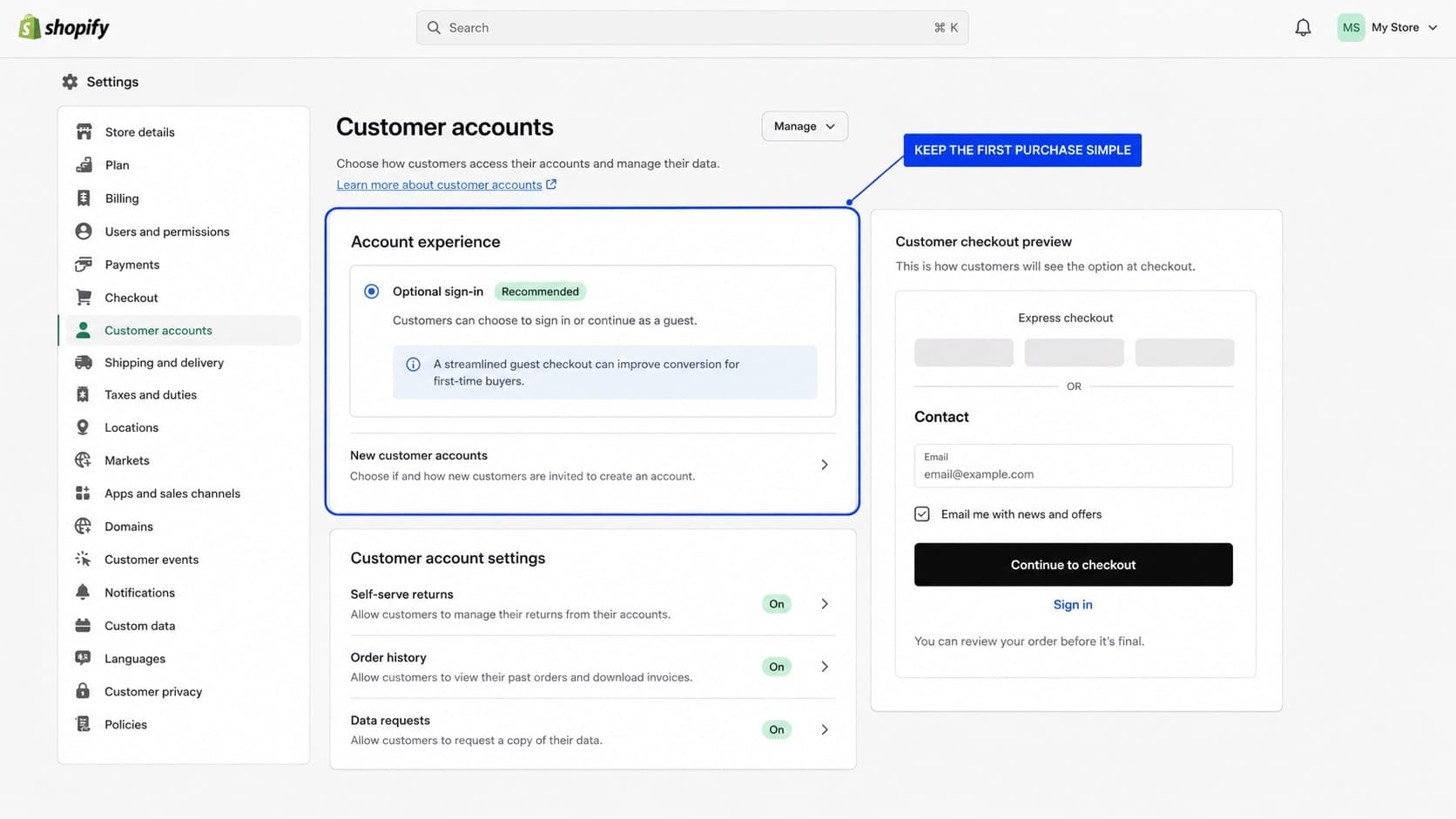
Customer accounts let returning customers review orders, update information, reorder, and use self-serve features. But requiring an account before checkout can interrupt a first purchase. A new visitor might not want to create an account, may not remember whether one exists, or may simply want to buy as a guest.
Shopify lets merchants choose whether customers must sign in before checkout. Shopify also notes that when sign-in is required, accelerated options such as Apple Pay do not appear in the cart because they could bypass that requirement.
What to review
Open Settings → Checkout and review the account or sign-in requirement. For a typical direct-to-consumer store, keep accounts available but optional. Required sign-in can still make sense for wholesale, subscription, membership, or gated experiences where identity is essential.
Test the complete flow as a first-time visitor. If account creation appears before payment, confirm that the requirement creates enough value to justify the extra step.
2. Abandoned checkouts: recover buying intent automatically
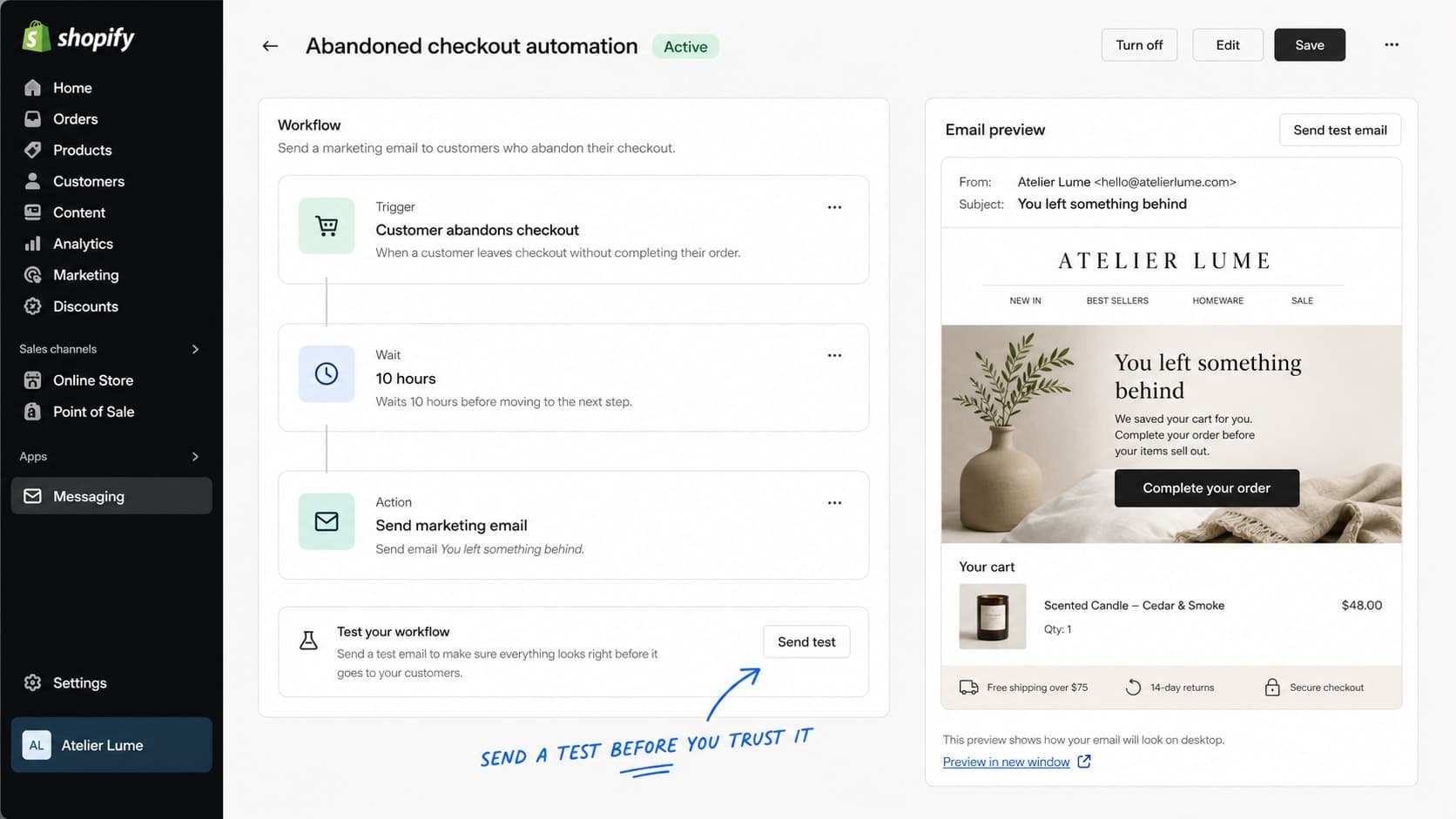
Some customers begin checkout but leave before paying. They may be distracted, need more time, encounter a payment issue, or compare alternatives. An abandoned checkout email gives them a direct path back to the order.
If recovery emails are disabled—or sent too late—the store may lose customers who already showed strong buying intent.
What to review
Confirm that recovery is enabled, messages are sent automatically, the delay fits the buying cycle, and the return-to-checkout link works. Check that product, price, currency, and branding details are accurate and that another app is not sending a duplicate recovery flow.
Inspect the real message in a mobile inbox. The sender, subject, product details, and primary action should be immediately clear. Help the customer continue without using unsupported urgency.
3. Shipping and delivery: make the cost predictable
Shipping uncertainty creates friction because the customer cannot confidently predict the final total.
Shopify supports flat, price-based, weight-based, carrier-calculated, and free-shipping options. The important part is making the rules sustainable and easy to understand.
What to review
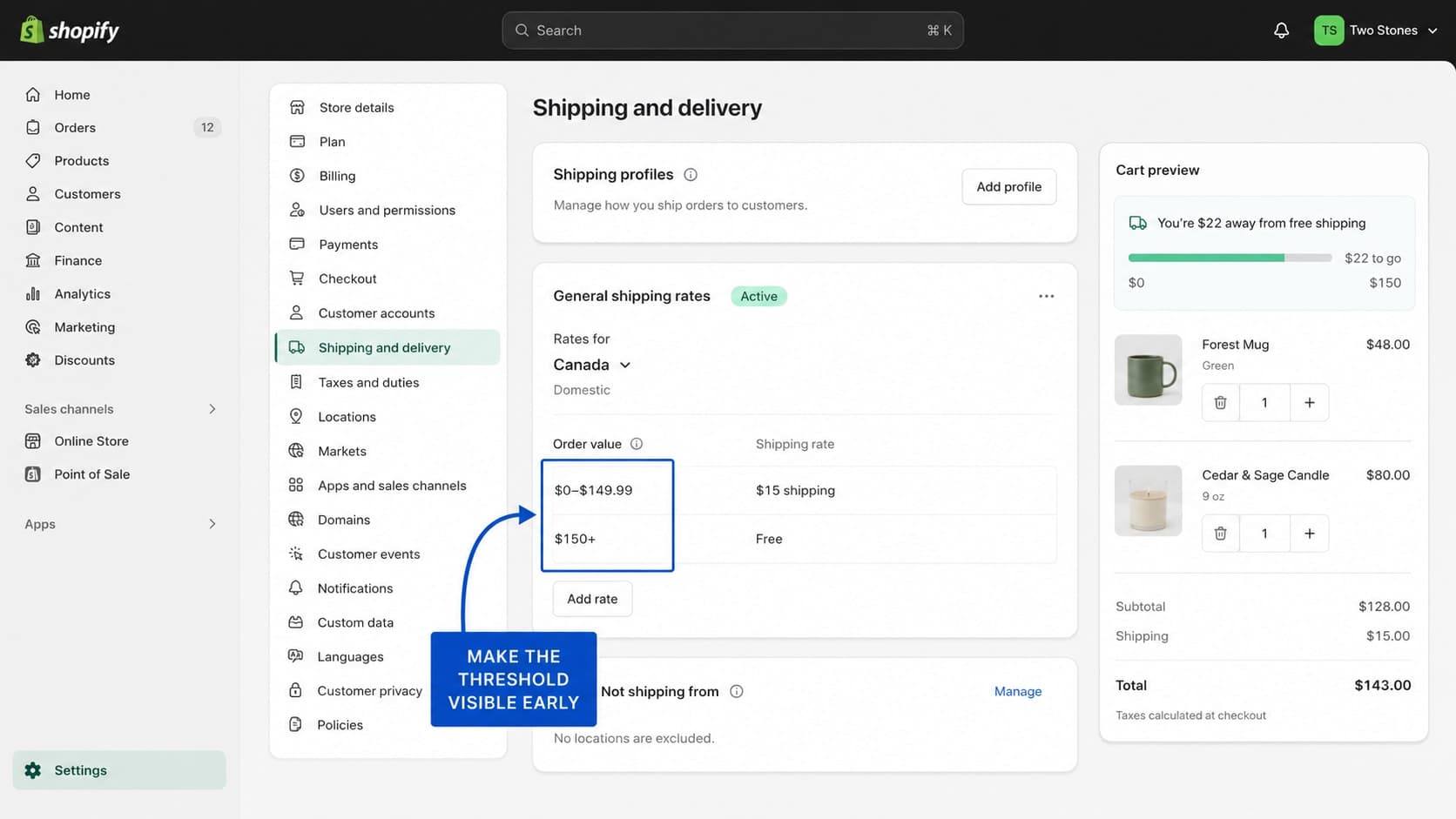
In Settings → Shipping and delivery, inspect every active profile, zone, and rate. Confirm that every served market has an applicable rate, conditions cover all possible order values or weights, free-shipping thresholds are visible before checkout, and storefront promises match the actual checkout result.
Shopify warns that gaps between conditional rate tiers can leave an order without an available rate. Test values just below, exactly at, and just above each threshold.
Build a free-shipping threshold from average order value, margin, packaging, destination mix, and actual shipping expense. A threshold that is too high can feel unreachable. One that is too low can reduce margin on orders that would have converted anyway.
4. Tax display: show the real price earlier
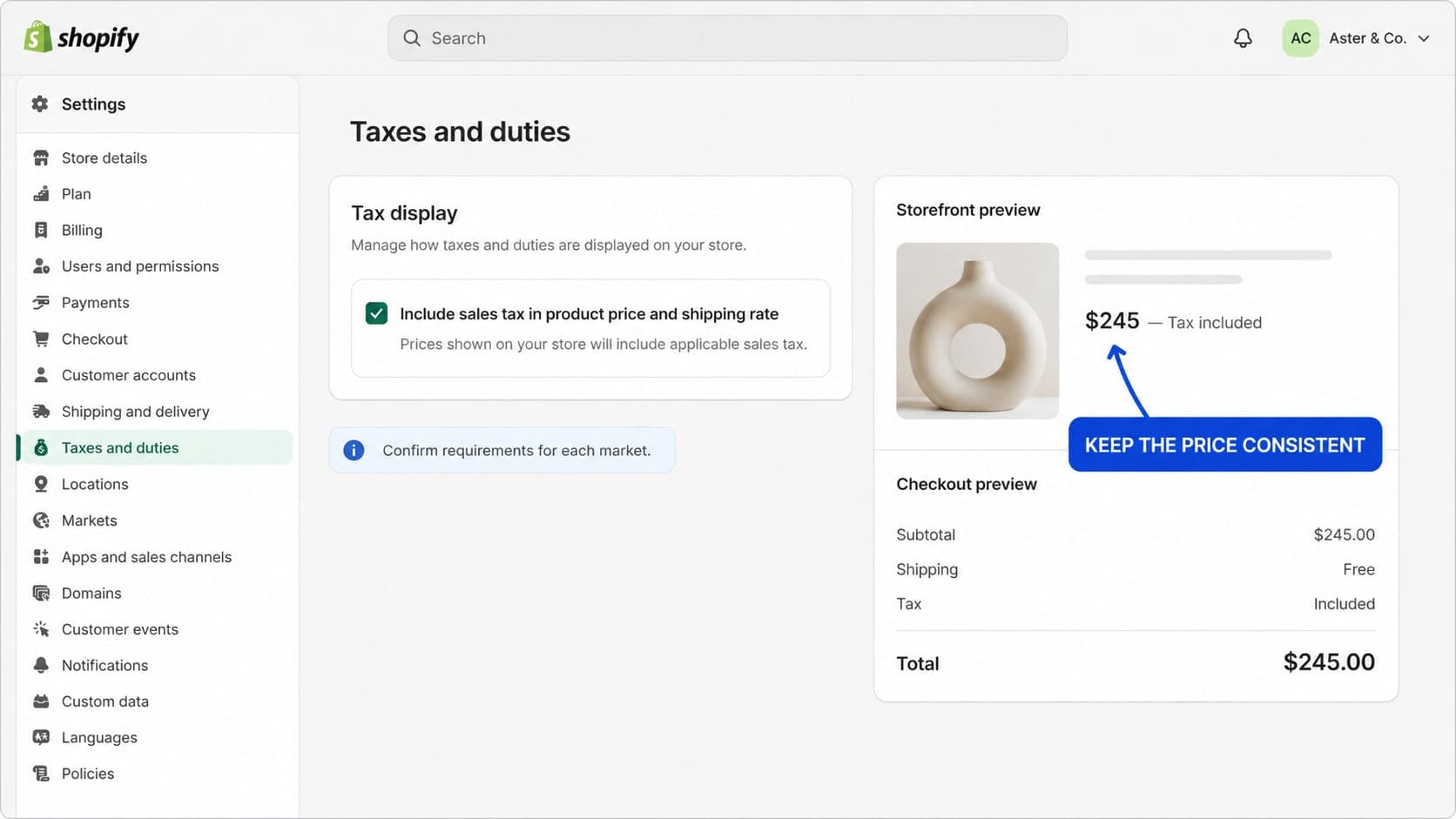
A price that changes late in checkout can cause hesitation. This is especially important across markets where tax-inclusive and tax-exclusive conventions differ.
The correct setup depends on where the business operates and applicable tax requirements. The conversion principle is simpler: customers should understand the expected total as early as practical.
What to review
In Settings → Taxes and duties, review how prices and taxes appear for each market. Confirm that inclusion or exclusion follows market requirements, product and cart messaging are consistent, duties are explained where relevant, and promotional claims reflect the amount the customer will actually pay.
Place test orders using addresses from important markets. Compare the product page, cart, checkout, and confirmation. If the total changes materially only at the final step, improve the earlier explanation where Shopify and local rules permit it.
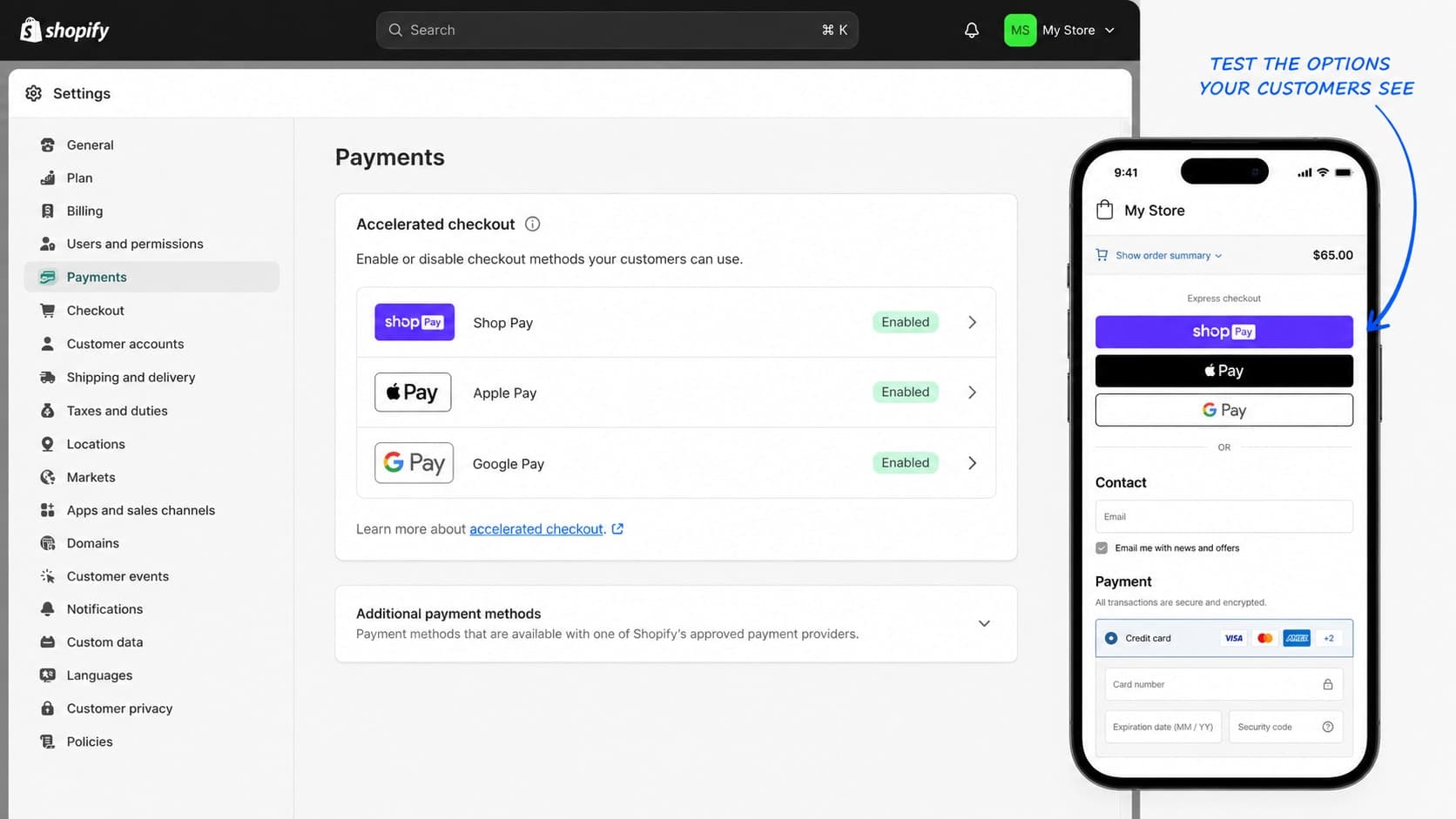
5. Payment methods: let customers pay the familiar way
At checkout, payment should feel like the easiest step—not a new problem to solve.
Shopify can support cards and accelerated methods such as Shop Pay, Apple Pay, Google Pay, PayPal, and other market-dependent options. What appears can depend on store configuration, device, browser, market, and eligibility.
What to review
Open Settings → Payments and confirm which methods are active. Test card payments, wallet visibility, locally expected methods, currency compatibility, and both mobile and desktop checkout.
More options are not automatically better. Prioritize trusted methods that match your customers and markets. Remove broken or confusing choices, but do not force manual card entry when a familiar one-tap method can complete the purchase securely.
6. Markets and currency: price like a local store
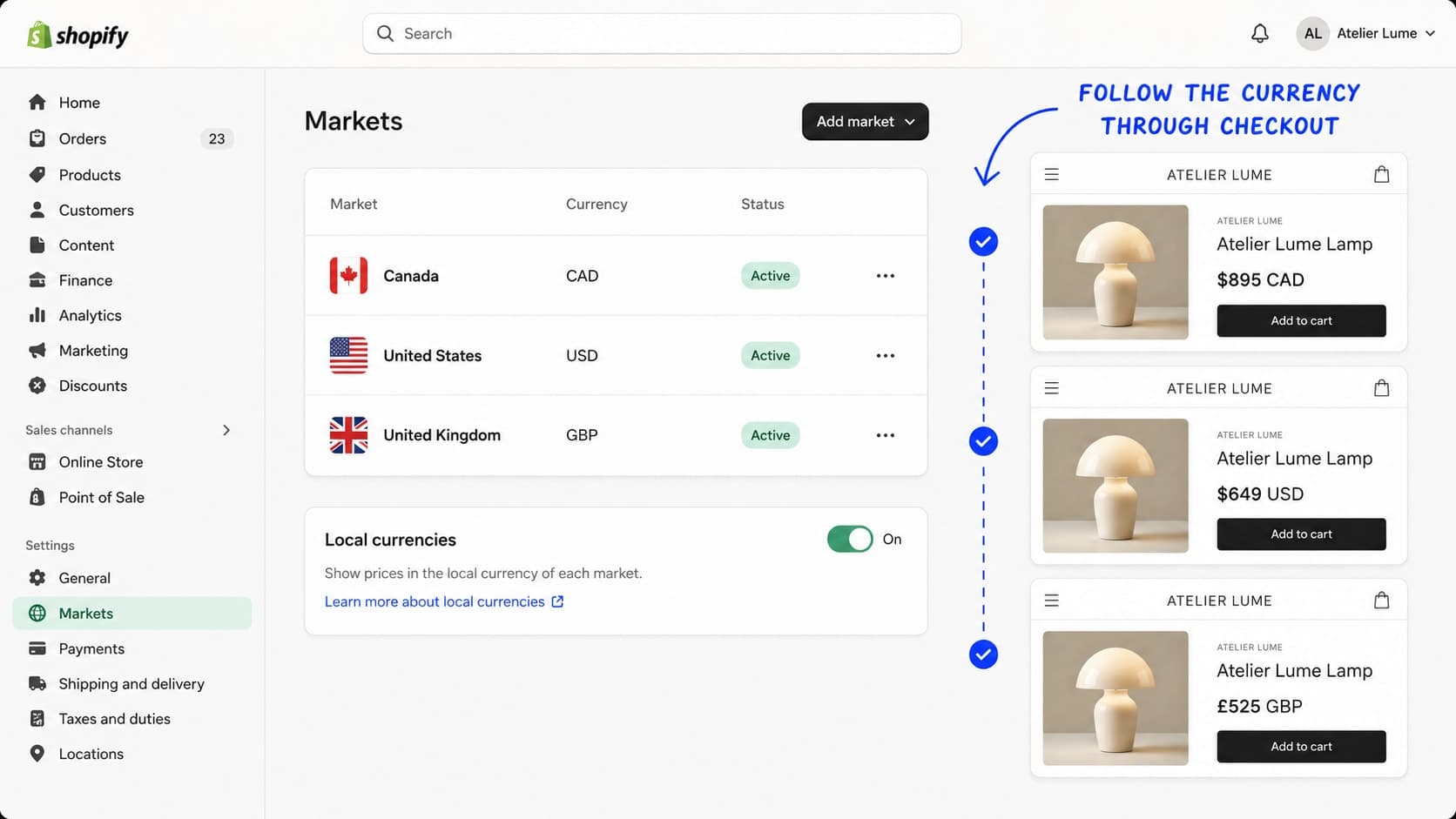
International customers should not have to mentally convert the price before deciding whether to buy.
Displaying the shopper's relevant currency can reduce uncertainty, but currency is only one part of localization. Prices, taxes, duties, payment methods, shipping, language, and availability must work together.
What to review
In Settings → Markets, review every active market and currency. Confirm that shoppers see the intended currency, conversion and rounding rules protect margin, payment methods support that currency, shipping and tax rules are valid, and the currency remains consistent through checkout.
Test important markets directly rather than relying only on the admin preview. Compare product pages, carts, checkout, discounts, refunds, and confirmation emails. A local currency label builds trust only when the rest of the journey supports the same promise.
7. Inventory: do not sell what you cannot ship
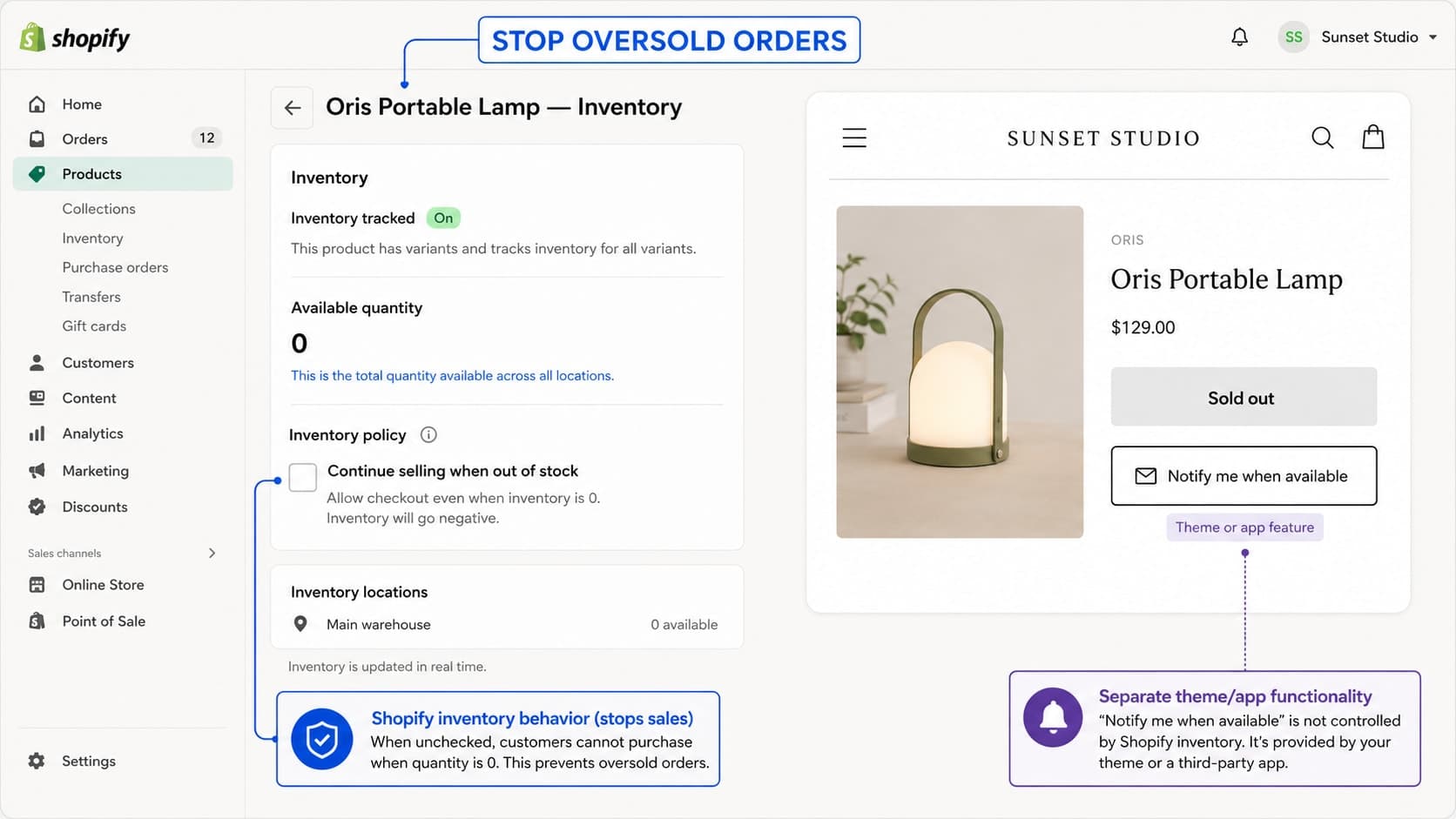
Inventory policy determines what happens when available stock reaches zero.
Continuing to sell can be correct for deliberate pre-orders, made-to-order products, backorders, or digital goods. For a normal in-stock physical product, it can create cancellations, delays, support requests, and damaged trust.
What to review
Review inventory tracking and Continue selling when out of stock for relevant products and variants. Confirm that stock is tracked at the correct locations, unavailable variants stop selling when appropriate, pre-orders have clear dates, bundles deduct stock correctly, and returns or cancellations restore quantities correctly.
When a product is unavailable, replace a dead end with a useful action. A Notify me when available form can capture demand without accepting an order you cannot fulfill. Recommended alternatives and clear restock information can also keep the customer engaged.
Test both the last available unit and the zero-stock state. Product pages, collections, search, cart, and checkout should agree about availability.
Shopify settings checklist
Keep customer accounts optional unless sign-in is essential.
Turn on and test abandoned checkout recovery.
Make shipping rates and thresholds predictable.
Display taxes and duties clearly for each market.
Enable reliable payment methods customers recognize.
Present the correct local currency throughout the journey.
Stop unintended overselling and offer a useful out-of-stock action.
After changing a setting, test the complete journey on mobile and desktop. Test important markets, currencies, shipping zones, discounts, and payment methods. Record the previous configuration and change one meaningful area at a time so the result remains understandable.
Fix the store before buying more traffic
These settings are not universal conversion hacks. They are business decisions expressed through the storefront.
The best Shopify configuration removes unnecessary effort, communicates the real total, supports familiar payment behavior, respects product availability, and matches the way the business operates.
Before assuming the theme or advertising is the problem, review the path from account choice to checkout recovery, shipping, tax, payment, localization, and inventory.
Appexa helps Shopify brands turn operational requirements into clear, maintainable ecommerce experiences. If your store attracts traffic but the purchase journey underperforms, start with the configuration before starting over.